
Mobile Text Alerts | SMS + MMS
Vimbly MTACommunication
3.328.00 Reviews
- Version
- 3.4.21
- Installs
- 10.00K
- Age Rating
- Everyone
Screenshots
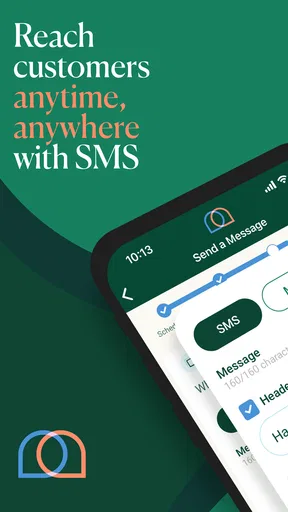
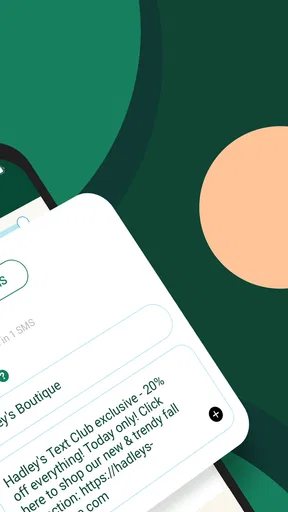
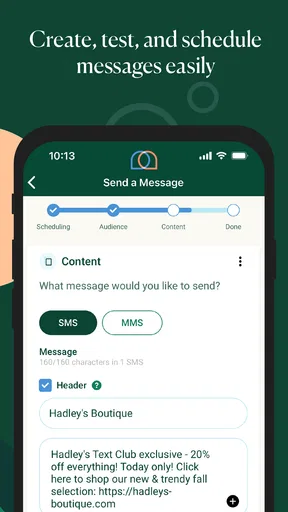
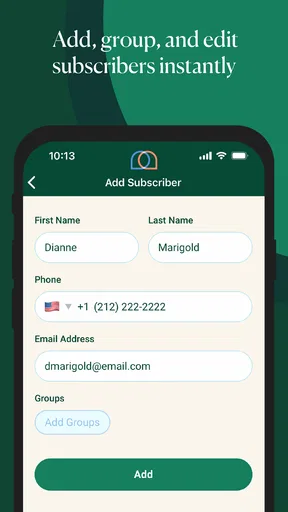
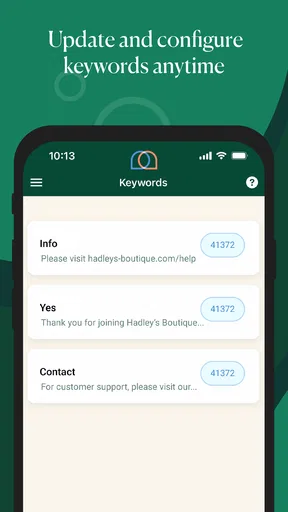
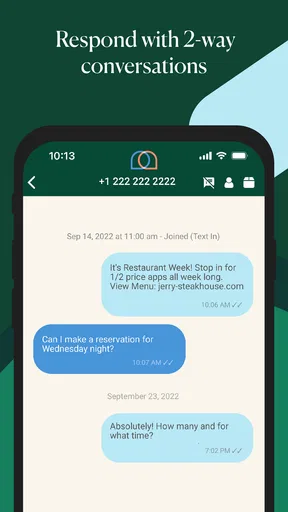
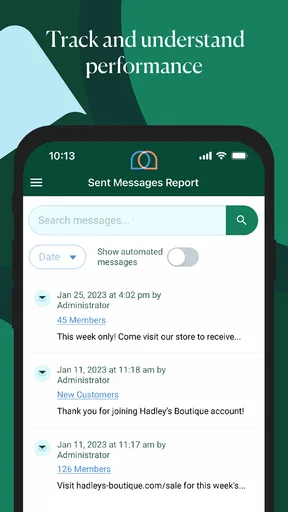
Our Review of Mobile Text Alerts | SMS + MMS
 Analysis by Appyee
When I first looked at Mobile Text Alerts | SMS + MMS, I approached it as a practical communication tool rather than another general-purpose messaging app. Its purpose is clear: help a person or organization send text messages to an audience, with the aim of encouraging engagement or supporting sales. That focus makes it more interesting for small campaigns and customer follow-up than for ordinary conversations with friends.
The app is developed by Vimbly MTA and sits in the communication category. It is free to install, rated for Everyone, and has passed the ten-thousand-install mark. Its average rating is 3.3 from roughly one hundred ratings, so I would describe the reception as mixed rather than universally enthusiastic. That feels important here because this is the kind of tool whose usefulness depends heavily on the sender’s workflow, audience, and expectations.
From a contact list to a useful text campaign
I look at the move from a contact list to a useful text campaign as a planning problem as much as a sending task. Before opening the app, I would decide who genuinely needs the message and what response would make it worthwhile; that keeps a mobile workflow quick without turning speed into guesswork. From there, the next question is how to shape the campaign around one clear outcome.
Starting with a real communication problem
The clearest use case is a business, group, or independent seller that already knows what it wants to communicate but needs a more direct route than email or a social post. Imagine a small shop preparing a weekend promotion. The owner has a list of interested customers, a short offer to share, and limited time to sit at a computer. A mobile-focused texting tool can make the first step feel much more immediate.
I would not begin by asking whether this app can replace every communication platform. I would ask a narrower question: do I need to send a coordinated message to an audience from a phone? If the answer is yes, this app has a sensible role. If the need is one-to-one chat, long-form newsletters, customer support tickets, or a full customer relationship system, the fit becomes less convincing.
The store summary presents it as a way to send SMS text messages for sales and engagement, while the short description identifies it as a mobile text-alerts tool. Those descriptions point toward outbound communication rather than a social inbox. That distinction matters because the success of a campaign depends on preparing the audience and the message before opening the app.
In practice, I would first sort out three things outside the message composer: who should receive the text, what single action I want them to take, and when the message will still feel useful. A short reminder about an appointment or event has a different rhythm from a promotional message. Treating both exactly the same is an easy way to make a text feel intrusive or vague.
Building the message around one outcome
The strongest workflow is to write for a phone screen and keep the objective narrow. For a local sale, that might mean stating the offer, the relevant time window, and the next step. For an engagement message, it might mean asking recipients to reply, visit a location, or follow a supplied instruction. I found that trying to combine an announcement, several offers, background information, and multiple calls to action makes the message harder to act on.
The SMS and MMS positioning also changes how I would plan content. A plain text message is usually easier to scan and less dependent on the recipient’s device or connection. A multimedia message can be more expressive when an image or other media genuinely helps explain the offer, but it also creates another point to check before sending. I would preview the wording and media together, then send a test to myself or a small internal group whenever the campaign matters.
One useful habit is to write the message in a notes app first, then remove anything that does not help the recipient decide what to do. This prevents the pressure of a mobile composer from shaping the campaign. I would also keep a private record of the final wording and the intended audience. That simple handoff makes it easier to compare the response later without relying on memory.
The practical advantage is not merely sending faster; it is keeping the path from decision to message short enough that a timely communication does not get delayed. That is where a mobile tool can be more valuable than a larger desktop system, especially for a person who is working from a shop floor, event venue, or small office.
Moving from preparation to sending
Once the content is ready, the important handoff is between the person who approves the message and the person who actually sends it. In a very small operation, those may be the same person. In a larger group, someone may provide the customer list, another person may approve the wording, and a third may press send. The app can sit in the middle of that process, but it does not remove the need for clear responsibility.
I would establish a final checklist before sending: confirm the audience, read the message aloud, verify any time-sensitive wording, and check that the media matches the text. The last step is especially useful for MMS because an attractive image cannot rescue an unclear instruction. If the campaign contains a link or a phone number, I would check it separately rather than assuming that a quick glance is enough.
Another non-obvious trade-off is speed versus review. A mobile interface encourages immediate action, which is helpful when a message must go out quickly. It can also make accidental sends more likely if the sender is switching between tasks. My recommendation is to prepare the message before the moment of urgency and reserve the app for the final review and dispatch.
The free entry point makes experimentation easier, but the presence of in-app purchases ranging from about five dollars to nearly two hundred seventy-five dollars per item means that I would examine the purchase flow carefully before committing to a large campaign. That range is broad enough that a casual trial and a serious operational rollout should be treated as separate decisions. I would begin with a small, clearly defined use case and evaluate whether the workflow justifies further spending.
Handling the handoffs after sending
Sending the message is not the end of the workflow. The next handoff is from the sender to the recipient, and then often from the recipient back to a person who must respond. If the message invites replies or customer action, somebody needs to be ready to handle those responses. A text campaign can create attention faster than a small team can process it, so the sender should decide in advance who owns the next step.
For example, a shop owner might send a short promotion before opening. During the day, staff members need to recognize the offer, understand what the text promised, and know how to handle customers who show it or mention it. Without that internal handoff, the campaign may generate confusion even if the message itself was well written.
I would also avoid assuming that every recipient will interpret a brief text in the same way. A message that is obvious to the person who wrote it may need a location, deadline, or eligibility detail for the person receiving it. The best workflow therefore includes a second reading from someone who was not involved in drafting the message. This is a small step, but it often catches missing context.
For recurring communication, I would keep a simple campaign log with the date, audience, wording, media used, and any notable response. This is not a feature claim about the app; it is a practical companion process. It helps prevent sending nearly identical messages too close together and gives the team a shared reference when a customer asks what was communicated.
What a successful result looks like
The result I would want from this app is not simply a completed send. It is a message that reaches the intended audience, makes the next action clear, and fits into a response process that the sender can actually manage. For a small business, that might mean more people noticing a time-sensitive offer. For a club or community group, it could mean better attendance at an event. For a service provider, it might mean a concise reminder that reduces avoidable back-and-forth.
Because the product is designed around mobile text alerts, it is most convincing when the communication is short, immediate, and audience-focused. I would be less inclined to use it for detailed education, complex customer journeys, or content that needs careful formatting. In those situations, email marketing software, a help-desk platform, or a full customer management system may provide a better handoff between messaging, records, and follow-up.
The outcome also depends on restraint. A business that sends every thought as a text can quickly turn a useful channel into background noise. I would use this app for messages with a clear reason to arrive on a phone, not as a replacement for every other channel. The best campaigns usually respect the recipient’s attention by making the purpose obvious immediately.
Where the workflow can break
The first weak point is audience preparation. If the contact list is outdated, poorly organized, or assembled without a clear communication purpose, a polished message will not solve the underlying problem. I would spend more time defining the audience than decorating the text. A smaller, relevant group is generally more useful than a larger list that receives irrelevant announcements.
The second weak point is the difference between an app that helps send messages and a system that manages the entire relationship afterward. Someone may still need another tool or a manual process for organizing customer details, recording replies, assigning follow-up, and reviewing longer-term results. That is not necessarily a flaw for a focused texting app, but it is a limitation for anyone expecting an all-in-one business platform.
The third is cost planning. Since optional purchases can extend from a modest amount to a much higher per-item price, I would not assume that the free installation represents the total cost of a large-scale workflow. Before inviting a team to depend on it, I would clarify what level of usage is needed and whether the purchase structure suits the expected volume. A small trial is the safest way to avoid building a process around an unsuitable spending model.
There is also a human risk: urgency can encourage careless sending. A typo, an incorrect audience, or an offer that staff members do not recognize can damage trust more quickly through text than through a slower channel. My workaround is simple but firm: prepare early, test important messages, assign one final approver, and give the receiving team the same wording that customers will see.
Who should use it, and who should choose something else
I see this app working best for independent businesses, small teams, event organizers, and other users who need a direct mobile route to an audience without starting with a large desktop marketing suite. It can also suit someone who values a quick operational workflow and is comfortable maintaining the supporting parts of the process themselves.
I would hesitate to recommend it to a person looking for ordinary private messaging. It is not the natural choice for chatting with a few friends, sharing an ongoing conversation, or replacing a familiar messenger. I would also point larger organizations toward a more structured platform if they need detailed permissions, extensive reporting, deep customer records, or tightly coordinated automation across several channels.
Compared with email, text alerts can feel more immediate and better suited to short reminders or time-sensitive offers, while email remains more comfortable for detailed information and richer layouts. Compared with social media, direct texting avoids depending entirely on a public feed, but it requires more discipline around audience relevance and message frequency. Compared with one-to-one texting from a phone, an audience-focused app is more appropriate when the same communication needs to reach many people in a coordinated way.
My final take on the mobile workflow
Mobile Text Alerts | SMS + MMS is a focused communication app with a clear practical niche. I like the way its purpose encourages a complete workflow: define the audience, write one useful message, review the handoff, send it from a mobile device, and prepare for the response. That simplicity can be an advantage when a small team needs to act quickly without opening a complicated marketing system.
At the same time, I would not treat it as a complete replacement for customer management, campaign analysis, or a carefully documented messaging process. The middling 3.3 average from around one hundred ratings suggests that expectations may vary, and the broad range of optional purchases makes it sensible to test the app against a specific need before expanding its role.
My recommendation is straightforward: try it for one well-defined audience and one measurable communication goal. If the app makes that path easier and the follow-up process remains manageable, it can earn a place in a small organization’s toolkit. If you need a full marketing operation, detailed records, or sophisticated automation, I would choose a broader alternative and use text messaging as one part of that system instead.
The current version is 3.4.21 and supports devices running Android 7.0 or later. For the right user, those practical access details matter less than the workflow itself: this app is most valuable when a timely, concise message needs to move from a phone to an audience without unnecessary delay.
Verdict
Strengths of Mobile Text Alerts | SMS + MMS
- Supports both SMS and MMS messaging for broader communication options.
- Useful for sending alerts, reminders, and updates to contact lists.
- Simple interface makes creating and sending messages quick.
- Can help businesses maintain direct contact with customers.
- Works through standard mobile messaging without requiring recipients to install an app.
Limitations of Mobile Text Alerts | SMS + MMS
- Message delivery may depend on carrier coverage and network availability.
- SMS and MMS charges can vary based on your mobile plan.
- Limited formatting compared with email or chat-based messaging apps.
- Large contact lists may require careful management to avoid sending errors.
- Some recipients may block unknown numbers or automated messages.
Similar Picks in This Category
View All
Google Messages
Google LLC4.6

Gmail
Google LLC4.1

Google Meet
Google LLC4.4

Google Chrome
Google LLC4.1

WhatsApp Messenger
WhatsApp LLC4.6

Carrier Services
Google LLC4.2
Frequently Asked Questions
What is Mobile Text Alerts, and what can I use it for?
Mobile Text Alerts is a business-focused SMS and MMS messaging platform designed to help organizations communicate with customers, employees, members, or subscribers. After reviewing its main features, the service is best suited for sending announcements, reminders, promotions, alerts, and group messages. It also supports two-way communication, making it more useful than a basic texting app for managing ongoing conversations.
Can I send both SMS and MMS messages with Mobile Text Alerts?
Yes, Mobile Text Alerts supports SMS text messages as well as MMS messages, allowing you to include images, files, or other supported media when appropriate. This makes it useful for marketing campaigns, event updates, visual announcements, and customer notifications. However, message limits, supported file types, carrier rules, and possible additional charges may vary depending on your plan and region.
Does Mobile Text Alerts support group messaging and contact management?
The platform is built around organized contact communication rather than one-to-one texting alone. You can generally create contact lists or groups, import subscribers, and send targeted messages to selected audiences. This is helpful when different customers, teams, or members need different updates. Before downloading or subscribing, review the available contact limits and segmentation features for your intended use.
Can recipients reply to messages sent through Mobile Text Alerts?
Mobile Text Alerts is designed to support two-way messaging, so recipients can often reply to messages instead of receiving announcements only. This can help businesses collect responses, answer questions, confirm appointments, or manage customer conversations. The exact reply behavior may depend on your account configuration, assigned phone number, keywords, and subscription plan, so these settings should be checked before launching a campaign.
Is Mobile Text Alerts free to use, and are there any important limitations?
Mobile Text Alerts may offer trial access or different paid plans, but business messaging services commonly charge according to features, users, contacts, or message volume. You should check the current pricing page for the latest details before signing up. Also consider carrier regulations, opt-in requirements, unsubscribe handling, delivery limits, and potential fees for high-volume SMS or MMS campaigns.
